Service AR-Ready 3D Models
Back to top

AR-ready 3D models a modelling service for the AR platform you already use

Start a project

You have the AR platform, the store plug-in or the marketplace listing. We build the model files it needs, to the specification it publishes.

Service

You already have somewhere to show AR: a platform, a store plug-in or a marketplace listing. It needs 3D model files of each product. We build them to real dimensions and to the specification your platform gives you.

Most AR on phones runs on two files. A GLB file is a 3D model in one file, which browsers and Android phones can display. A USDZ file is the format iPhone and iPad use for AR. A product needs both for AR to work on both kinds of phone. Some platforms ask for one file and convert it themselves, and some add their own limits. We ask for the specification before we start.

What you get

  • 01

    GLB and USDZ as a pair

    Each product is delivered in both formats, made from one source model so that the two match.

  • 02

    True scale

    The model is built to the product's real measurements, so it appears at its real size when a shopper places it.

  • 03

    Built to the specification supplied

    Limits on file size, polygon count, texture size and file naming differ by platform. We build to the document your platform or marketplace gives you.

  • 04

    Light enough for a phone

    Fewer polygons, textures sized for a phone screen, and Draco compression where the platform accepts it.

  • 05

    Materials set for a phone screen

    Colour, roughness and metal finish are set so the product on the screen looks like the product in the hand.

  • 06

    Opened on both kinds of phone

    Each file is opened in Quick Look on an iPhone and in Scene Viewer on an Android phone before it is sent.

Work like this

Products the studio has modelled in 3D, shown here as films and stills.

American Tourister suitcase, frame from the 3D product film American Tourister — Suitcase3d product film — suitcase animation
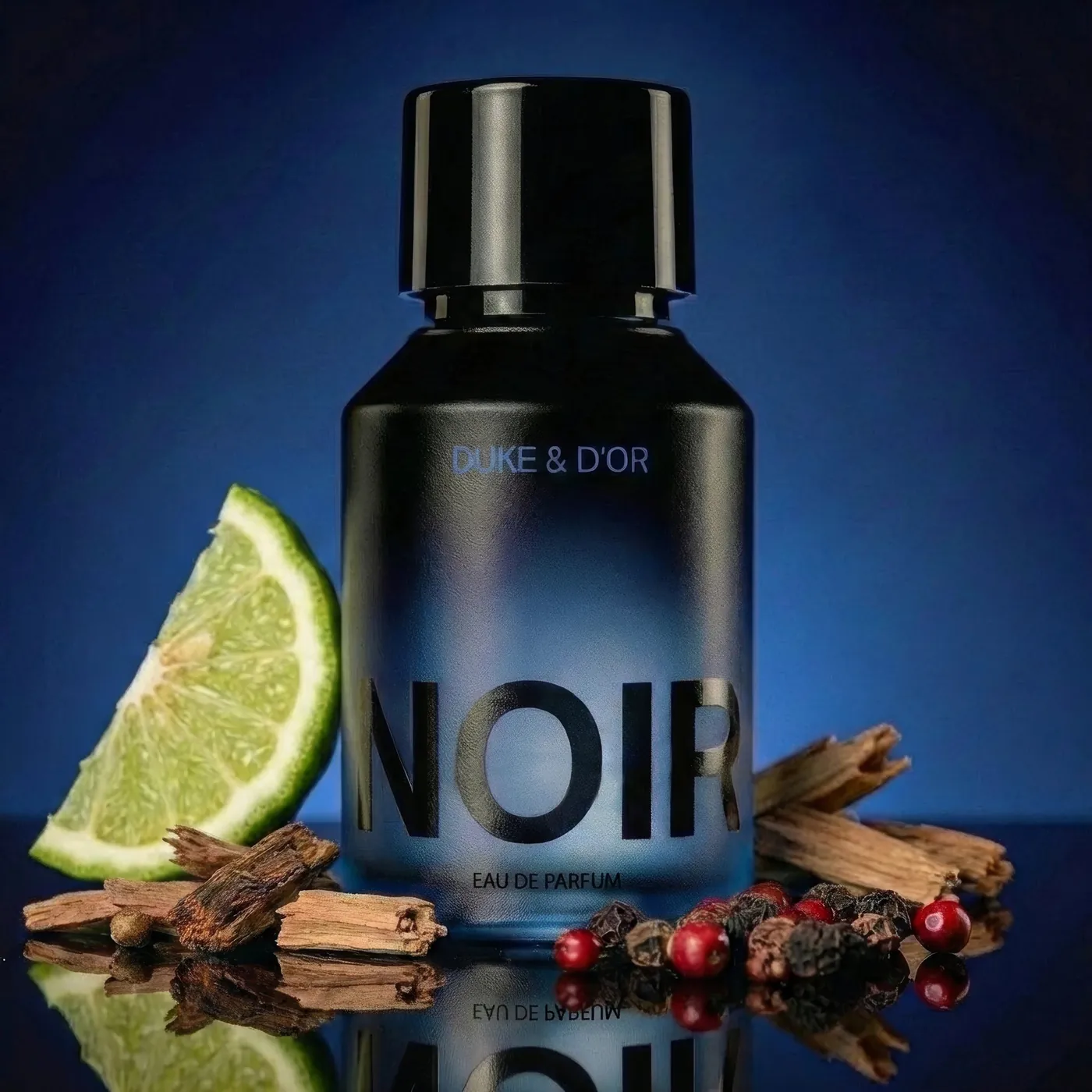
Duke & D’or Noir 50 ml perfume bottle, CGI product render Duke & D’or PerfumesNoir & royal eau de parfum

GLB and USDZ: what each file is

The two files hold the same product. They are exported from one source model, so the shape, the size and the colours match on both kinds of phone. If only a GLB is supplied, AR will not open on an iPhone unless the platform converts the file itself.

About the fileGLBUSDZ
What it isA 3D model in one file, with its materials and texturesThe 3D format iPhone and iPad use for AR
Opens onWeb browsers and Android phonesiPhone and iPad
AR viewer on the phoneScene ViewerQuick Look
Who needs itAndroid shoppers, and anyone turning the model on a web pageiPhone and iPad shoppers

Platform and marketplace requirements

Each AR platform and each marketplace publishes its own technical requirements for 3D models: which format, the largest file size, a polygon limit, the texture size, how the file is named and where the base of the model sits. These documents differ from one platform to the next, and they are revised. We do not list them on this page because the list would go out of date.

Send us the current specification from your seller account or from the platform's help pages. We build to that document, and the quote names it. If an upload is rejected, the rejection message tells us what to change.

What makes a model AR-ready

An AR-ready model passes the checks listed below. A model made for a render, or taken straight from factory CAD, usually fails several of them. It is too heavy, it has no textures, or its scale is in the wrong unit. Making it AR-ready is careful reduction: we keep the outline and the details a shopper will look at, and remove detail that only adds to the file size.

  • Real dimensions, so the product appears at true size
  • The base of the model at floor level, so it does not float or sink
  • For a wall piece, the back of the model set against the wall
  • A polygon count that a mid-range phone can draw smoothly
  • Textures small enough to load on mobile data
  • Materials set up in the standard way that both formats read
  • No stray parts, hidden faces or leftover CAD detail

When the files are enough, and when you need more

This service is the files only. It is the right choice if your AR platform, store plug-in or marketplace already provides the button, the viewer and the hosting, and the models are the missing part.

If you have no AR on your site yet, you need the viewer and the product pages as well as the files. That is our web AR service. If you want the product to turn on the page and do not need AR, see 3D models for websites. To see models like these placed in a room, try the AR demo on our home page.

How AR models are priced

AR 3D modelling is quoted per model, with the GLB and the USDZ counted together as one model. Send the product list and the specification, and the quote gives the charge per model, the revision rounds and the schedule.

The charge depends on the product and on what you can give us to start from.

  • Whether there are 3D files to optimise, or the model is built from drawings and photographs
  • How complex the product is: a plain table, or a chair with stitching and moving parts
  • The number of colour and finish variants
  • How tight the platform's limits are
  • The number of products in the batch

How it runs

  1. 01

    Specification

    You send the platform's current requirements and the product list.

  2. 02

    Reference

    You send CAD, existing 3D files, drawings or photographs, with dimensions.

  3. 03

    Build and reduce

    We model or optimise each product to the limits in the specification.

  4. 04

    Export and check

    GLB and USDZ are exported and opened on an iPhone and an Android phone.

  5. 05

    Delivery

    You receive the files, named as your platform asks, ready to upload.

Questions

What is a GLB file, what is USDZ, and which do I need?

GLB is the file that browsers and Android phones read. USDZ is the file that iPhone and iPad read for AR. For AR on both kinds of phone you need both, unless your platform converts one into the other.

What are Amazon's 3D model requirements?

Each marketplace, Amazon included, publishes its own requirements and revises them, so we do not restate them here. Download the current document from your seller account and send it to us. We build to that document.

How much does an AR-ready 3D model cost?

The GLB and the USDZ are quoted together as one model. The charge depends on the product's complexity, on whether there are 3D files to start from, and on the number of variants.

Can you convert our existing 3D models or CAD to GLB and USDZ?

Yes. CAD and render models are accurate but too heavy for a phone, and CAD has no textures. We reduce them, add materials and export both formats. This is quicker than modelling from photographs.

Will the product appear at its real size in AR?

Yes, if we have its real dimensions. The model is built to those measurements, and Quick Look and Scene Viewer place it in the room at that size.

How large should an AR model file be?

As small as the product allows, and inside whatever limit your platform sets. We do not promise a figure before seeing the product. A simple shape with one material is far lighter than an upholstered piece with stitching.

Do you also set up the AR on our website?

Yes, as a separate service. If you have no AR platform, our web AR service covers the viewer, the button and the QR codes as well as the files.

Keep going

Get in touch

Send the product list, your platform's specification and any 3D files you have. We send back a quote per model.