Service Unreal Engine Walkthrough
Back to top

Unreal Engine walkthroughs real-time architectural visualisation

Start a project

For buyers who already know they want Unreal Engine. What real time means, what the walkthrough runs on, and what we need to build one.

Service

We build real-time architectural walkthroughs in Unreal Engine. The visitor moves freely through the project and changes furniture, finishes and lighting. The walkthrough can run on a PC or touchscreen, in a VR headset, or in a browser through pixel streaming.

This page is for the technical buyer: a developer's digital lead, an architect who has used real-time tools, or an agency planning a sales-gallery installation. People search for this as Unreal Engine real estate, Unreal Engine 5 real estate or Unreal Engine archviz. All three mean a project built in the engine so that it can be walked through in real time. For a plain description of what the buyer sees and does, start with the interactive walkthrough page.

What you get

  • 01

    Real-time rendering

    Each frame is drawn at the moment it is shown, many times a second. That is why the visitor can move anywhere and change things.

  • 02

    Interaction built in

    Free movement, switching of furniture, finishes and lighting, and a dollhouse view of the floor plan.

  • 03

    Three delivery targets

    A version for a PC or touchscreen, a VR version for a headset, and a streamed version for the browser.

  • 04

    Accurate to the drawings

    The model follows your plans, sections and specifications. The options shown are the ones you sell.

  • 05

    Tested on the target

    We test on each device or stream it is delivered to, because a scene that runs well on one machine can run poorly on another.

Work like this

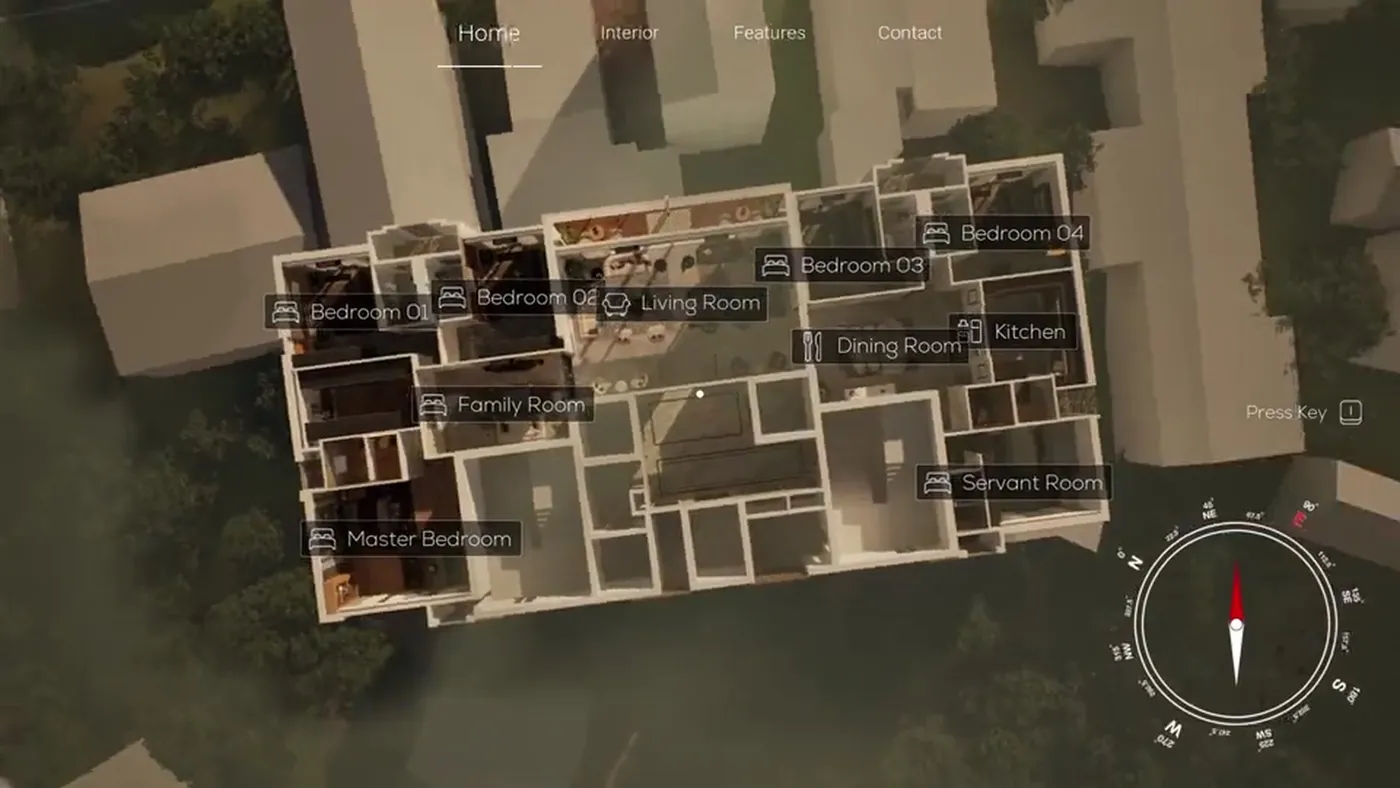
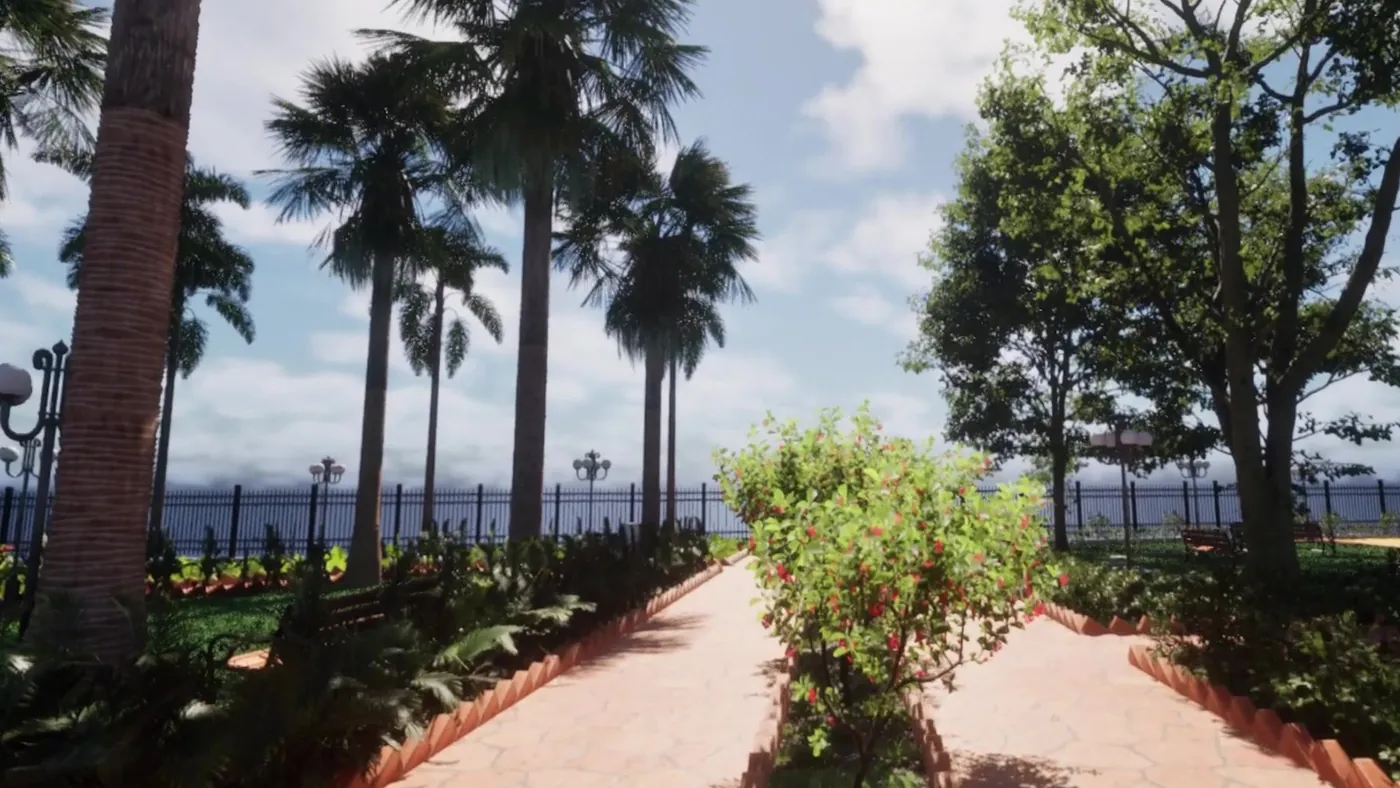
Two real-time projects: a configurable residence and a VR garden by the sea.

Dollhouse overview from the interactive real-time walkthrough Interactive WalkthroughReal-time configurable architectural walkthrough
Garden entry from the outdoor VR walkthrough Garden WalkthroughOutdoor architectural vr & seaside landscape

What real time means

A still render or a walkthrough film is calculated in advance. Each frame can take a long time to compute, and once it is done it cannot change. This is called offline rendering. In real-time rendering the computer draws each frame as it is shown, many times every second, so the picture can respond to the visitor.

That response is what makes a walkthrough interactive. The visitor turns, walks, opens the floor plan or swaps the flooring, and the next frame shows the result. The condition is that the scene must run fast enough on the machine it is delivered to. That shapes how we model, light and test it.

What it runs on

Tell us the targets at the start. A scene tuned for a powerful PC in a sales gallery is built differently from one that must also run in a headset.

TargetHow it runsWhat to plan for
PC or touchscreenOn a computer with a graphics card, in your sales gallery or officeThe computer's specification, the screen size, and touch or controller input
VR headsetThe visitor wears a headset and sees the rooms at real sizeWhich headset, clear floor space, and a member of staff to assist
Browser, by pixel streamingOn a remote computer, sent to the browser as live videoHosting, the number of visitors at the same time, and the visitor's connection

Pixel streaming, explained

Pixel streaming is the way an Unreal Engine walkthrough reaches a web browser. The walkthrough runs on a remote computer with a graphics card. That computer sends the picture to the visitor's browser as video, and receives their clicks, taps and key presses in return. The visitor installs nothing.

Two things follow. The visitor needs a steady internet connection, because the picture is live video. And each connected visitor uses computing power for as long as they stay, so streaming has a running cost that grows with the number of people using it at once. A link sent to selected buyers needs less capacity than a button on a public website.

What we need from you

A real-time project needs the same drawings as a render, and some decisions that a film does not need. If you already own the computer or the headset, send its specification before we start.

  • Plans, sections and elevations: AutoCAD, PDF, or a Revit, SketchUp or 3ds Max model
  • Interior layouts, material specifications and furniture selections
  • The list of options the visitor can switch
  • The delivery targets: PC, touchscreen, VR headset, browser
  • The specification of any hardware you already own
  • Who will operate it: sales staff, or the buyer alone

How an Unreal Engine walkthrough is priced

It is quoted per project. The main factors are the area to be built, the level of detail, the number of interactive options and the number of delivery targets. A single flat for one touchscreen is a smaller project than a tower with amenities delivered to PC, VR and browser.

Streaming is listed separately in the quote, because hosting is a running cost and the build is a one-time cost. If you have a 3D model from earlier still renders, tell us. It reduces the modelling, although a model made for offline rendering has to be reworked to run in real time. The interactive walkthrough cost guide covers the units.

How it runs

  1. 01

    Scope

    We agree the spaces, the options and the delivery targets with you.

  2. 02

    Model for real time

    The spaces are modelled and prepared to run fast enough on the target hardware.

  3. 03

    Playable preview

    You walk through an early version to check scale, movement and layout.

  4. 04

    Lighting and interaction

    Materials, lighting, option switching and the floor plan view are completed and reviewed.

  5. 05

    Test and hand over

    We test on each target and deliver the final version or the streaming setup.

Questions

How much does an Unreal Engine walkthrough cost?

It is quoted per project. Area, detail, the number of options and the number of delivery targets decide the price. Hosting for a streamed version is shown separately. Send the drawings and the targets for a quote.

Why do you use Unreal Engine for architectural walkthroughs?

Unreal Engine is a game engine, so it supports full interaction: switching options, custom menus, VR and pixel streaming to a browser. Quick real-time viewers made for design review are faster to set up and give less control over what the visitor can do.

What computer do we need to run it?

A PC with a dedicated graphics card. The exact specification depends on the size of the scene and the screen. We state the requirement before the build, or check the computer you already have.

Can it run in a browser on our website?

Yes, with pixel streaming. The walkthrough runs on a remote computer and the visitor sees it in the browser without installing anything. They need a steady connection.

Which VR headset does it work with?

Tell us which headset you own or plan to buy, and we confirm it before quoting. The VR version is prepared separately from the screen version, so that movement is comfortable in a headset. See VR walkthrough.

Can you use our existing Revit or 3ds Max model?

Yes, as a starting point. Models made for drawings or for offline renders are usually too heavy for real time, so we rework them to run fast enough.

Can the same scene give us still images and a film?

Yes. Stills and a film can be produced from the same model, so they match the walkthrough. Tell us at the start, so the quote covers them.

Keep going

Get in touch

Send the drawings and name the delivery targets: PC, touchscreen, VR or browser. We quote the build and any hosting separately.