Overview VR Walkthrough
Back to top

VR walkthrough a project seen at full scale before it is built

Start a project

A project viewed in a VR headset at full scale, before it is built. The same build also runs on a PC, on a touchscreen or in a web browser.

Overview

In a VR walkthrough the visitor puts on a headset and sees the project around them at full scale. They turn their head to look and move from room to room. We build it in Unreal Engine from your drawings.

Developers use virtual reality for real estate sales when there is no show flat to walk through. Architects and landscape designers use it so a client can judge size and proportion before construction. The same build can also be shown without a headset, and for many projects that is the more practical choice. This page explains both.

What it covers

  • 01

    Full scale

    Ceiling heights, room widths and the view from the balcony are seen at their real size.

  • 02

    Free movement

    The visitor chooses where to go and where to look. Nothing is recorded in advance.

  • 03

    Options the visitor can change

    Furniture, finishes and lighting can be switched during the visit, if the build includes those options.

  • 04

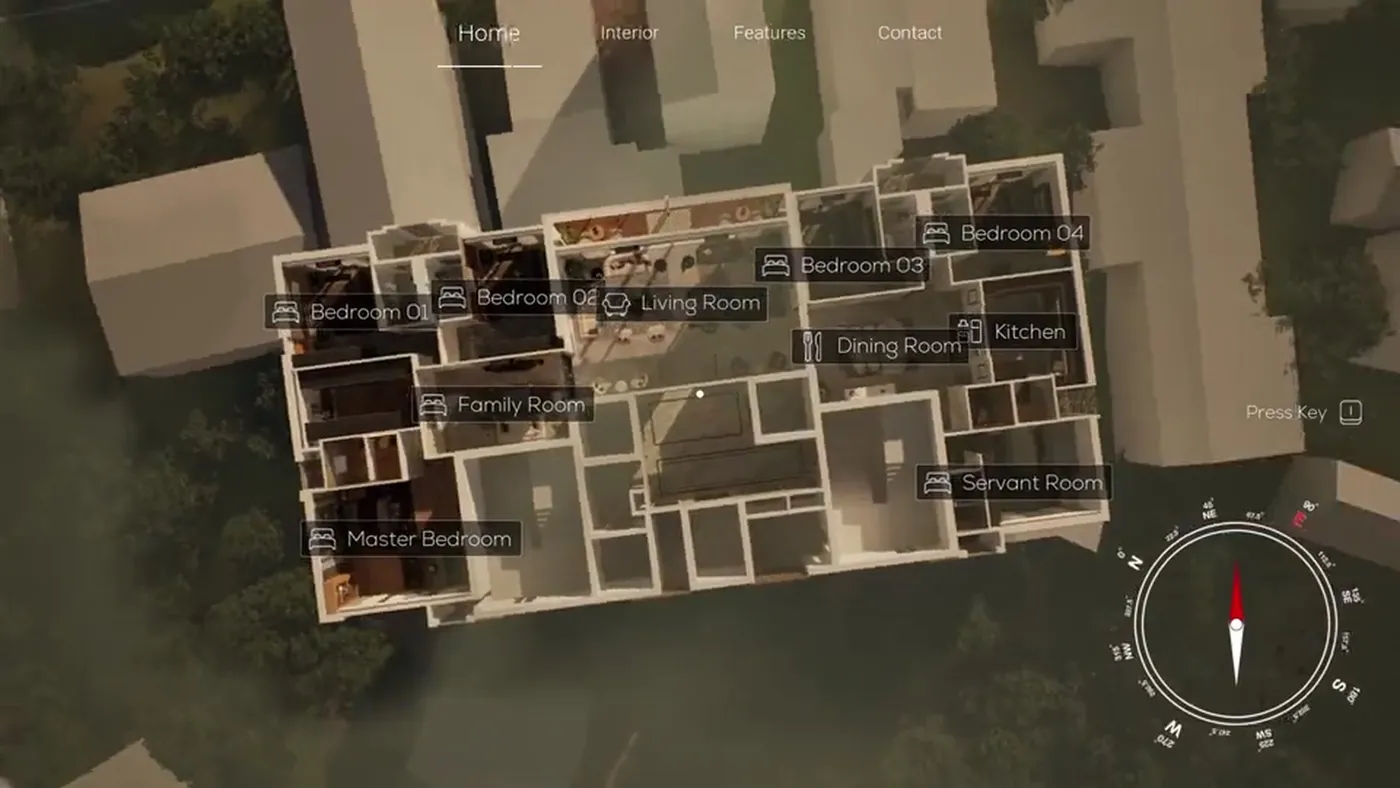
    Dollhouse view

    The visitor can pull back to see the whole floor plan from above, then go back into any room.

  • 05

    Interiors and landscapes

    Homes and offices, and outdoor spaces such as gardens, paths and terraces.

From the studio

A VR walkthrough of a seaside garden, and a configurable interactive walkthrough of a residence.

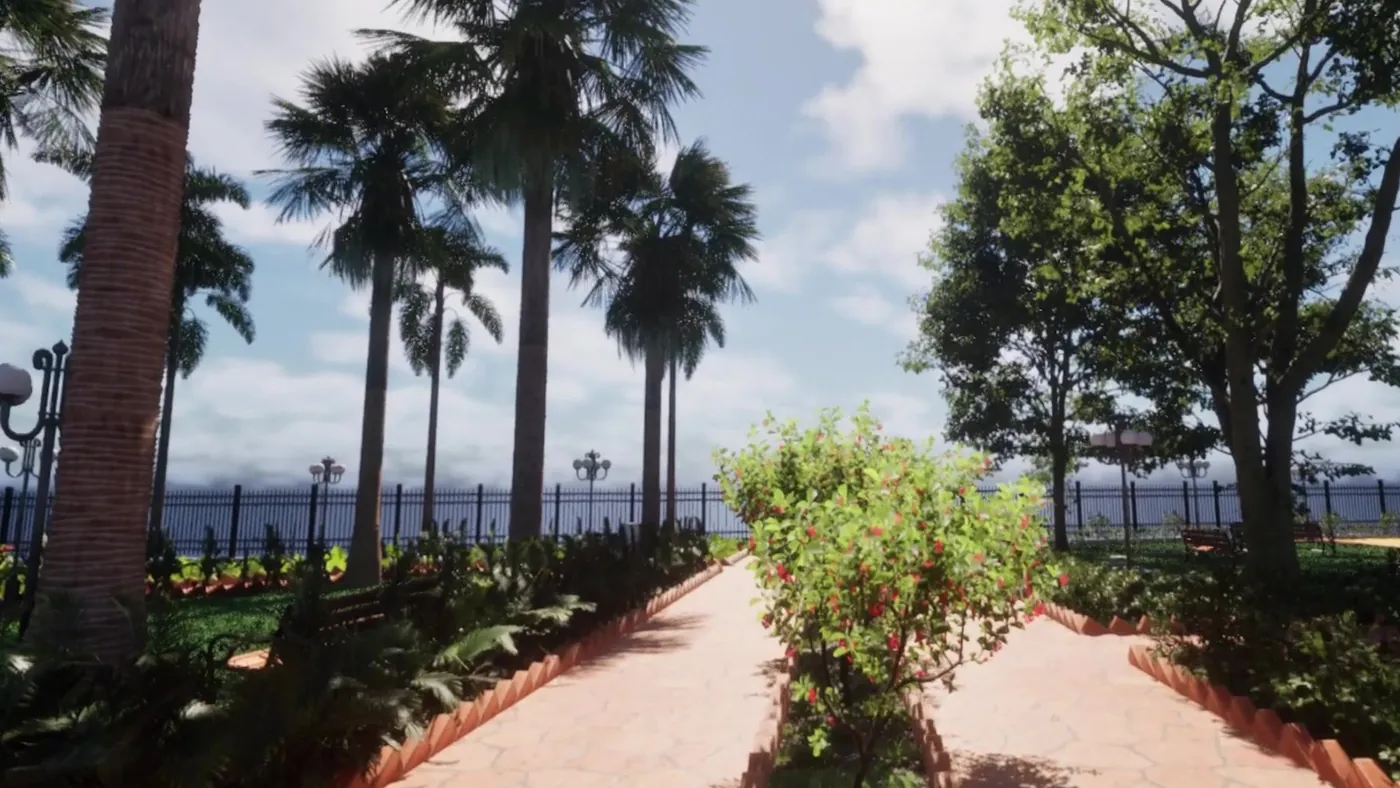
Garden entry from the outdoor VR walkthrough Garden WalkthroughOutdoor architectural vr & seaside landscape
Dollhouse overview from the interactive real-time walkthrough Interactive WalkthroughReal-time configurable architectural walkthrough

What a VR walkthrough needs

A virtual reality walkthrough is a real-time build. Real-time means the picture is drawn as the visitor moves, the way a video game works, instead of being rendered in advance. At the place where it is shown it needs a VR headset, the hardware to run it, a clear area of floor and a person to help visitors and guide them.

That makes VR a format for a place you control: a sales office, an experience centre, an exhibition stand or a design presentation. A buyer cannot open it at home from a link. For buyers at home, the same build can be streamed to a web browser, or you can give them a 360° tour.

With a headset, or without one

The headset is one of three ways to show the same build. Choose by where your buyers are.

Only the person wearing the headset sees the rooms at full scale. A touchscreen lets a family and a salesperson look together. A sales office can keep both.

How it is shownWhat the visitor needsWhere it suits
VR headsetA headset and a guide at your venueSales office, experience centre, exhibition, client presentation
PC or touchscreenNothing of their own. They use your screenSales office, site office, meetings where several people watch together
Streamed to a web browserA link and a steady internet connectionBuyers in other cities and abroad, and follow-up after a visit

What the visitor can do: a page for each kind

What the visitor can do inside the build is a separate decision from the headset. An interactive walkthrough is the base: free movement through the project, shown in any of the three ways above.

An apartment configurator adds choices, so a buyer can switch flooring, finishes and furniture and see the result. A virtual sample flat is for a developer who cannot build a show flat yet and needs one flat shown completely. If your team is technical and wants to know how the build is made and delivered, read Unreal Engine walkthrough.

What decides the price

A VR walkthrough is quoted per project. There is no per-minute rate, because there is no fixed route. The price depends on how many spaces are built, how detailed they are and what the visitor can change. Each option, such as a second flooring or an evening lighting setting, has to be built and tested.

The devices matter too. A build that must run in a headset, on a touchscreen and in a browser is tested on all three. Headsets and other hardware are separate from the build, so ask who provides them when you compare quotes. The interactive walkthrough cost guide covers this in more detail.

How it runs

  1. 01

    Brief

    You send the drawings, the spaces to include and where the walkthrough will be shown.

  2. 02

    Scope and quote

    We agree the spaces, the options and the devices, and send a quote with a schedule.

  3. 03

    Build

    The project is modelled and assembled in Unreal Engine, with materials and lighting.

  4. 04

    Test on the device

    You try a draft in the headset or on the screen and list what to change.

  5. 05

    Handover

    The final build is delivered for the devices named in the quote.

Questions

How much does a VR walkthrough cost in India?

It is quoted per project. The cost depends on the number of spaces, the level of detail, the options a visitor can change and the devices it must run on. Send the drawings and the list of spaces for a quotation.

Does the visitor need a headset or a gaming computer?

For VR, a headset is needed at your venue. Without one, the same build runs on a PC or touchscreen at your office, or is streamed to the visitor's browser. When it is streamed, their own device does not need to be powerful.

Can a VR walkthrough run on our website?

The headset version cannot. The same build can be streamed to a web browser, so a buyer opens a link and walks through without a download. This is called pixel streaming: the build runs on a remote computer and the picture is sent to the browser as video.

What is the difference between a VR walkthrough and a 360° tour?

In a VR walkthrough the visitor moves freely through a real-time 3D build. A 360° tour is a set of fixed viewpoints that the viewer clicks between, and it opens on any phone. Some people say VR tour for real estate when they mean a 360° tour, so check which one a quote covers.

When is VR for real estate worth it?

It helps most where scale is hard to judge from pictures, such as tall rooms, terraces and views, and where a salesperson is present to guide the visit. For buyers who are not at your office, a browser stream or a 360° tour is more practical.

What files do you need to start?

Floor plans, sections and elevations as CAD or PDF, the material and furniture selections, and a SketchUp, Revit or 3ds Max model if you have one. Landscape drawings are needed for outdoor areas.

Keep going

Get in touch

Send the drawings and tell us where the walkthrough will be shown. We reply with a scope, a quote and a schedule.