Service 3D Models for Websites
Back to top

A 3D model for your website that visitors turn and zoom in the browser

Start a project

Your product as a live 3D model on the page. The visitor drags to turn it and pinches to zoom. Nothing is downloaded or installed.

Service

We put a live 3D model of your product on your web page. The visitor drags to turn it and pinches to zoom, on a phone or a laptop, with no download and no plug-in. [Try one on our home page](/#s05).

This is what people mean by an interactive 3D model on a website, a 3D product viewer or a 360 product view. It suits products that are chosen on shape and detail: furniture, luggage, electronics, lighting, hardware and equipment. Photographs show the angles the photographer chose. With a model, the shopper picks the angle and looks as closely as they like.

What you get

  • 01

    Runs in the browser

    The model is shown by model-viewer, an open-source 3D model viewer for websites. It works in current phone and desktop browsers without a plug-in.

  • 02

    Drag, pinch, look closer

    The visitor orbits the product with a finger or a mouse and zooms in on a hinge, a seam or a port.

  • 03

    Small enough for mobile data

    We reduce the polygon count, compress the geometry with Draco compression and resize the textures, so the file loads quickly on a phone.

  • 04

    Colours and finishes

    Each colour or finish is delivered as its own file, so the page can show the one the shopper has picked.

  • 05

    Ready for AR later

    The GLB file on the page is the file Android uses for AR. Add a USDZ file and the product can be placed in a room from the same page.

  • 06

    Fits the site you have

    The viewer is a few lines of code on the product page. We supply the code and the files, and your developer adds them.

Work like this

Products we have modelled in 3D for product pages, ads and films.

American Tourister suitcase, frame from the 3D product film American Tourister — Suitcase3d product film — suitcase animation
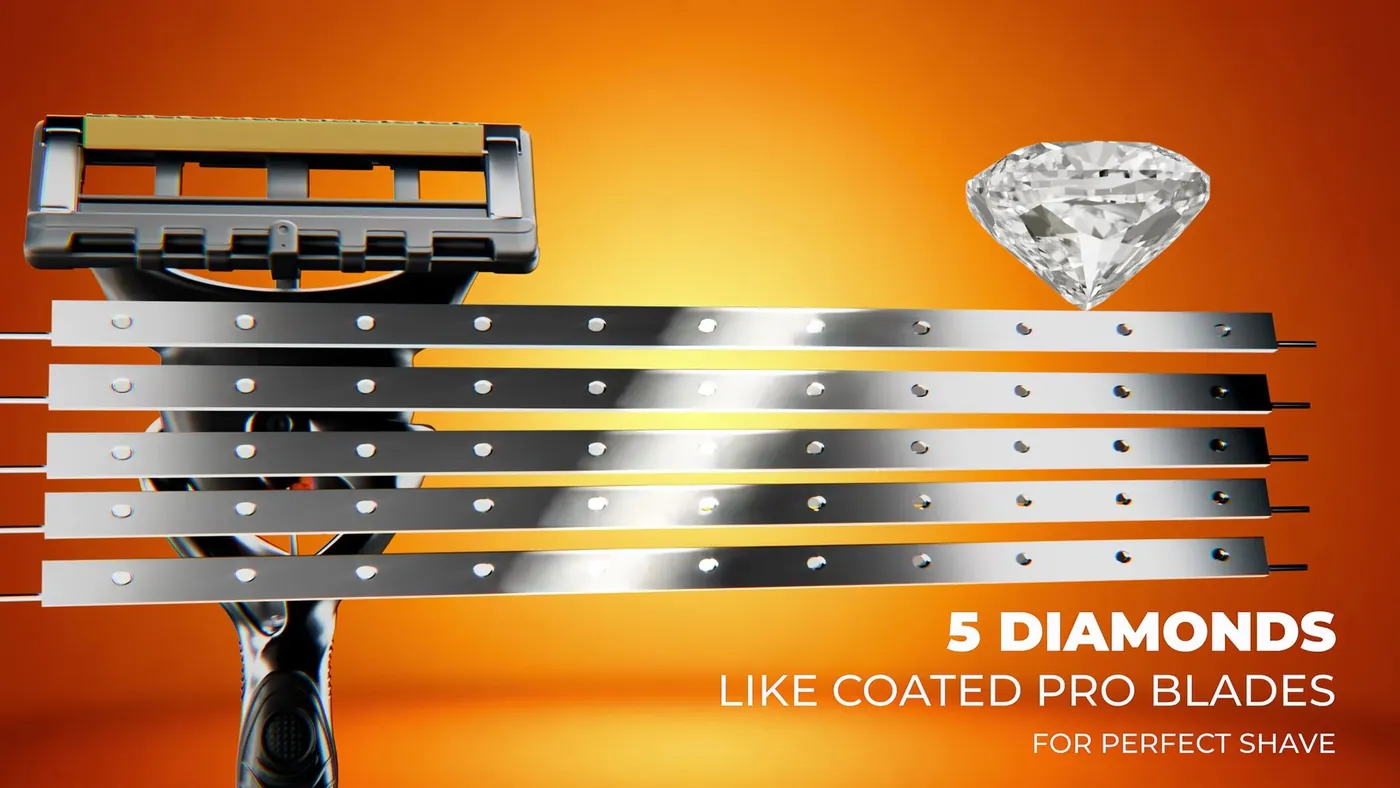
Macro 3D render of the Gillette Fusion 5 razor head Gillette Fusion 5 — Product Film3d product rendering — hero campaign loop

What the visitor sees

The model sits in the page where the main product photograph would be. A still image shows at once, and the model loads behind it. The visitor drags to orbit the product and pinches, or scrolls on a laptop, to zoom. Nothing is installed. The viewer is model-viewer, an open-source component that runs in the browser.

There are several models on our home page that you can turn now, including a lounge chair, a vase and pieces of equipment: open the live 3D models. They are the same kind of file we would deliver for your products.

A 360 product view from photos, or a 3D model

A 360 product view made from photographs is a row of pictures taken around the product on a turntable. The shopper slides left and right through them. The product turns on one axis only, and the zoom stops at the resolution of the photographs.

A 3D model is the object itself. It turns in every direction, the shopper can look from above and below, and the same file can later be used for AR. The product has to be modelled first, which is more work than a photo spin.

If the product already exists, is easy to photograph, comes in few variants and you do not want AR, a photographed spin may be enough. We do not shoot those. If the product has many colours or finishes, is large or heavy, or is not manufactured yet, a 3D model is the more practical route.

How the model gets onto your site

There are three parts: the GLB file, the viewer and a place on your page. The GLB file holds the whole product, its shape and its materials, in a form that browsers can display. It is uploaded to your site like an image. The viewer is loaded by one line of script. A short tag on the product page then points the viewer to the file.

Some online store platforms accept a GLB file as product media. On others, and on a custom-built site, a developer adds the code. We supply the files and the code and help your developer add them. Our guide to adding a 3D model to a website sets out the steps.

File size and loading speed

A web page should not wait for a 3D model. The viewer shows a still image at once and loads the model behind it. How long the model takes depends on the size of the file, so we make each file as small as the product allows.

Three things make a model heavy: the number of polygons, the size of the textures and the number of separate materials. We reduce the polygons where the eye cannot tell, compress the geometry with Draco compression and size the textures for a phone screen. A flat-sided cabinet ends up much lighter than a tufted sofa. We tell you the size of each file on delivery. We do not promise a figure before we have seen the product.

What decides the price

The quote has two parts. The first is the modelling, quoted per model, with one model for each product. The charge depends on how complex the product is, what reference you can supply and how many colours or finishes are needed. If your factory or designer already has accurate 3D files, we optimise those and there is less to build.

The second part is the set-up: the viewer code, the still image shown while the model loads, and help getting the first model onto your page. This is done once and reused for every product after that. Adding AR means one more file per product, a USDZ for iPhone. Send the product list and a link to your site for a quote.

How it runs

  1. 01

    Product list

    You send the products, their dimensions and any CAD, drawings or photographs.

  2. 02

    Model

    We build each product in 3D, and you approve its shape and then its materials.

  3. 03

    Web version

    We reduce the polygons, compress the geometry and resize the textures for phones.

  4. 04

    Viewer

    We supply the GLB files, the still images and the viewer code for your product pages.

  5. 05

    On the page

    Your developer adds them, and we look at the result together on a phone and a laptop.

Questions

How do I put a 3D model of my product on my website?

You need a GLB file of the product and a viewer on the page. The viewer we use is the open-source model-viewer component, which is added with a few lines of code. We supply both and work with your developer.

How much does a 3D model for a website cost?

It is quoted per model, with a separate set-up for the viewer. The charge per model depends on the product's complexity, the reference you can supply and the number of variants. Send the products and a link to your site, and we quote.

Will a 3D model slow down my website?

It should not, if it is set up properly. The page shows a still image first and loads the model behind it. We optimise each file so that it is small enough for mobile data.

Does the 3D viewer work on phones?

Yes. It works in current browsers on iPhone, Android, tablets and laptops. On a phone the visitor turns the model with one finger and zooms with two.

What is a GLB file, and why does a web viewer need one?

A GLB file holds a whole 3D model in a single file: the shape, the materials and the textures. Browsers and Android phones can display it. It is the format most web viewers use.

Can the same model be used for AR?

Yes. Android uses the same GLB file for AR. iPhone needs a second file, a USDZ, which we export from the same model. Our web AR page explains how the shopper opens it.

Can you use the 3D files our factory already has?

Usually, yes. Factory CAD is accurate, but it is far too heavy for a web page and has no colour or texture. We use it as the base, rebuild the surface for the web and add the materials.

Keep going

Get in touch

Send a link to your product page and the products you want in 3D. We reply with a quote.