Guide Walkthrough, Interactive, VR or 360°?
Back to top

Walkthrough film, interactive, VR or 360° tour which one a project needs

Start a project

All four formats can be made from one 3D model. They differ in what the viewer can do and in what the result runs on.

Guide

A walkthrough film is watched. A 360° tour is clicked through, from one fixed viewpoint to the next. An interactive walkthrough is walked freely, and things in it can be changed. A VR walkthrough is the same space seen from inside a headset.

Choose by where the buyer will be. A film suits a launch event, social media and the website. A 360° tour suits a phone and a link sent to a buyer. An interactive walkthrough suits a sales gallery with a touchscreen and a salesperson. VR suits a booked visit to an experience centre, the developer's own sales space. All four can come from one 3D model of the project, so a developer can start with one and add the others later.

In short

  • 01

    Walkthrough film

    A video with a fixed camera path, music and titles. Everyone sees the same thing, and it plays anywhere a video plays.

  • 02

    360° tour

    A set of viewpoints. The viewer looks all around from each one and clicks the floor to move on. It opens in a browser on a phone.

  • 03

    Interactive walkthrough

    A real-time 3D space the visitor moves through freely, changing furniture, finishes and lighting. It runs on a PC or touchscreen, or is streamed to a browser.

  • 04

    VR walkthrough

    The real-time space viewed through a VR headset, at life size. It needs the headset and someone to guide the visitor.

  • 05

    One model for all four

    The same 3D model of the project can produce the stills, the film, the 360° tour and the real-time version.

Seen in practice

A walkthrough film, an interactive walkthrough and a VR walkthrough from the studio.

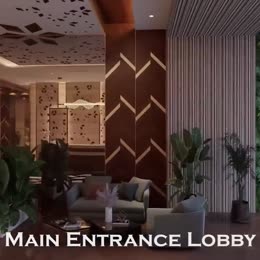
Entrance lobby from a residential 3D walkthrough film Residential WalkthroughArchitectural animation & walkthrough
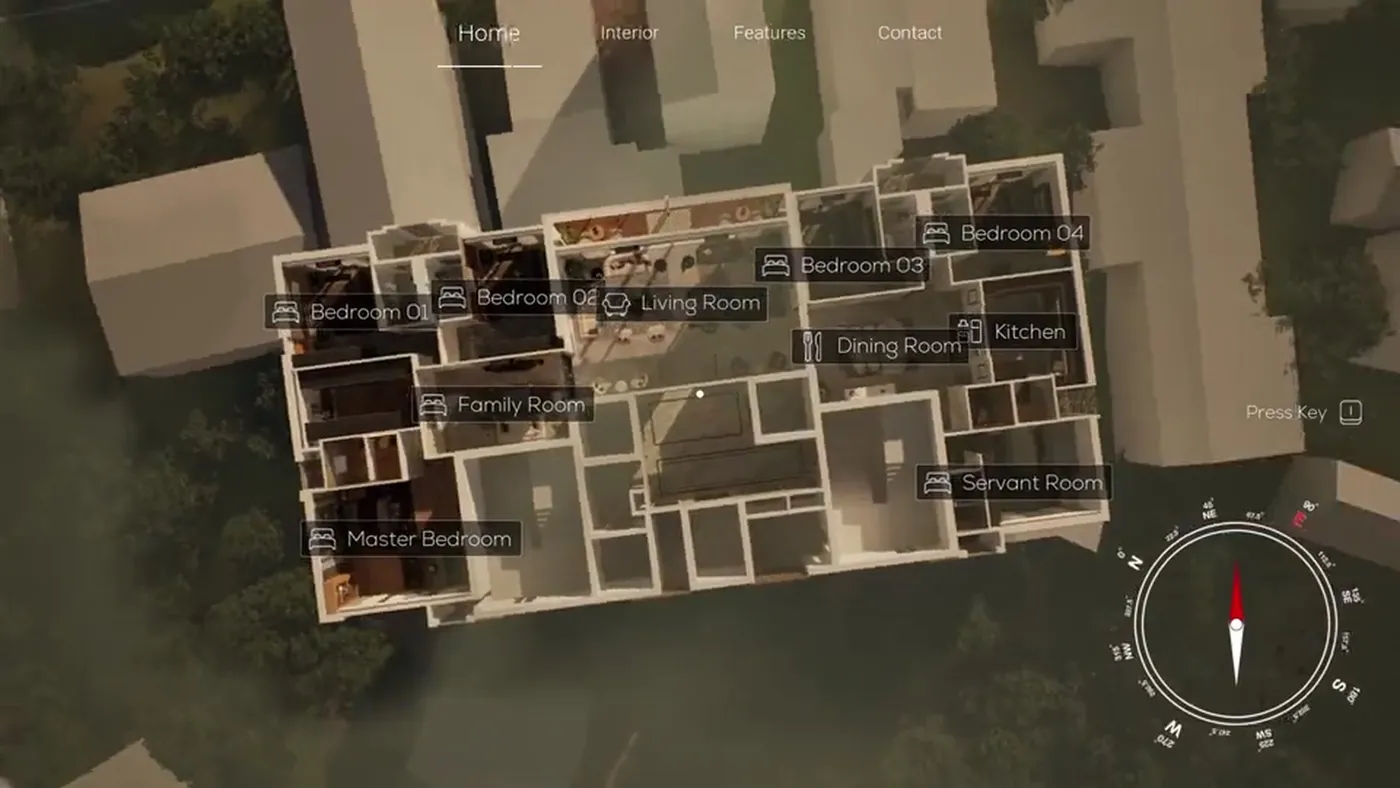
Dollhouse overview from the interactive real-time walkthrough Interactive WalkthroughReal-time configurable architectural walkthrough
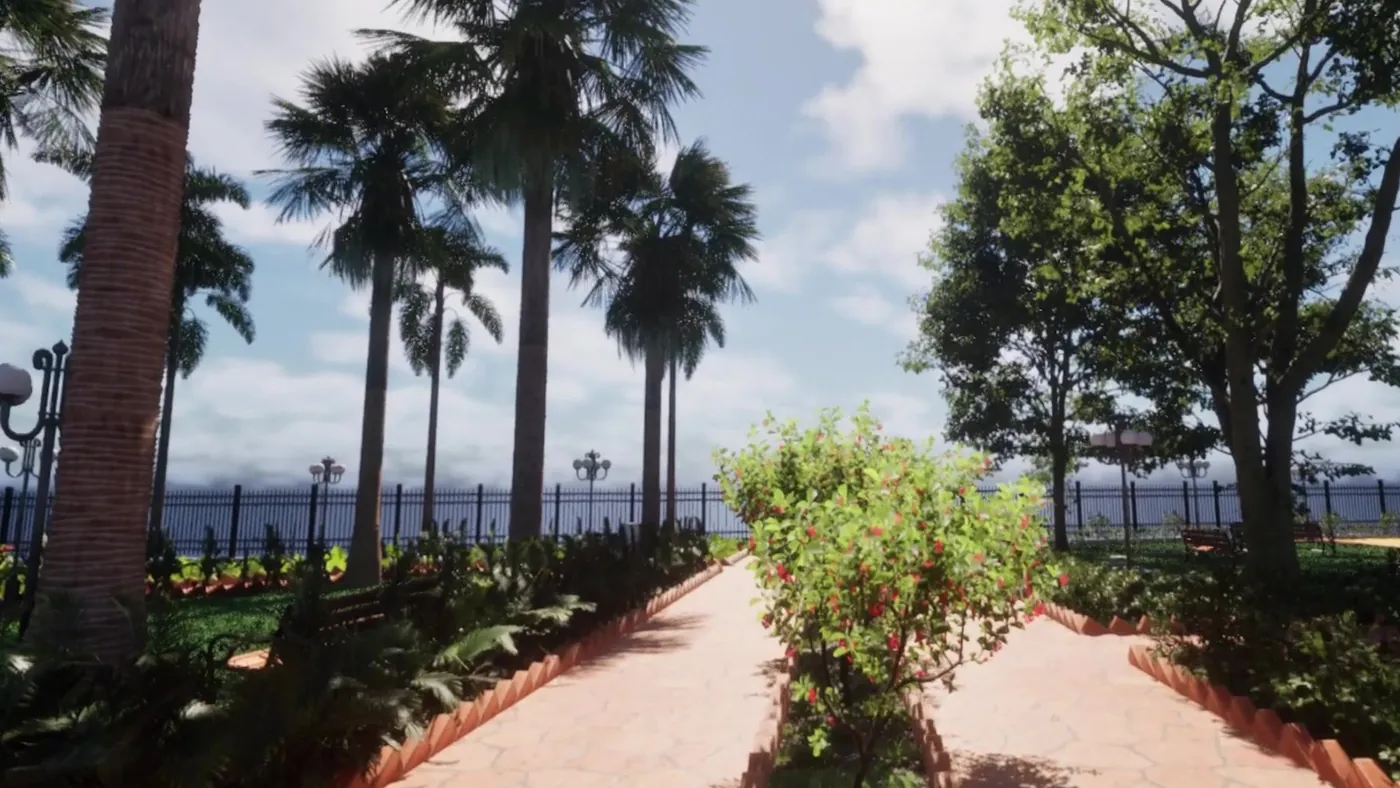
Garden entry from the outdoor VR walkthrough Garden WalkthroughOutdoor architectural vr & seaside landscape
The Chambéry living room at golden hour, Abuja The Chambéry — AbujaInterior rendering & ai enhancement

The four formats side by side

The table compares the four on what the viewer does, what the format runs on, what it needs and when to choose it.

Walkthrough film360° tourInteractive walkthroughVR walkthrough
What the viewer doesWatchesLooks around and clicks to the next viewpointWalks anywhere and changes finishes, furniture and lightStands inside the space and looks around at life size
What it runs onAny screen that plays videoA web browser on a phone or computerA PC or touchscreen, or streamed to a browserA VR headset
What it needsThe video fileA link and an internet connectionA capable computer on site, or a streaming serviceA headset, a clear area and a guide
Who controls the visitThe studio, through the editThe viewer, within set viewpointsThe viewer or the salespersonThe viewer, with a guide
Choose it whenYou need reach: launch, ads, website, messaging appsBuyers are remote and on their phonesBuyers visit a sales gallery and compare optionsYou have an experience centre and booked visits

What a 3D walkthrough film is

A 3D walkthrough is a film made by moving a camera through the 3D model of a project. The camera follows a path we plan with you: the approach, the lobby, the amenities, a sample flat, the view from the balcony. Music and titles are added in the edit. The two-word spelling, 3D walk through, means the same thing.

Its strength is control and reach. Every viewer sees the project in the order and the light you chose, and the file plays on a hoarding screen, a phone, a television and in an ad. Its limit is that the viewer cannot stop and look at what interests them. See walkthrough animation.

What a 360° tour is, and 360 vs 3D tours

A 360° tour is a series of viewpoints. The viewer stands at one, looks all around, and clicks the floor to move to the next. On a phone, the view also follows the phone as it is tilted. The tour opens from a link, with no app.

There are two kinds. A photographed tour is shot with a 360° camera in a finished space, such as a show flat or a completed building. A rendered tour is made from the 3D model, for a space that is not built yet. This is usually what is meant by 360 vs 3D tours: the first records a real place and the second shows a design. Our page on rendered virtual tours covers the second kind.

What an interactive walkthrough is

An interactive walkthrough is the project built in a game engine, which is software that draws the 3D space afresh as the visitor moves. This is called real-time rendering. We use Unreal Engine. The visitor walks where they like, on a PC or a touchscreen. They can change the flooring, swap the furniture, change the lighting, and pull back to a dollhouse view of the whole floor plan.

It needs more than a film does: a capable computer in the sales gallery, or pixel streaming, where a remote computer runs the walkthrough and sends the picture to the buyer's browser. It suits a conversation between a salesperson and a buyer who is comparing a 2BHK with a 3BHK, or one finish with another. See interactive walkthrough.

What a VR walkthrough adds

A VR walkthrough is the interactive version viewed through a headset. The visitor sees the rooms at life size and judges ceiling height, room width and the view from the window as they would on a site visit. That sense of scale is the reason to choose VR.

It reaches one person at a time, and it needs a headset, a clear area and a member of staff to guide the visitor. Some visitors are uncomfortable in a headset, so a screen version should be available beside it. See VR walkthrough.

Digital twin vs 3D walkthrough

A digital twin is a digital copy of a real place that exists. It is usually made by scanning or photographing the finished building, and in some uses it is kept up to date with information from the building. Matterport is one product that makes scanned tours of this kind.

A 3D walkthrough shows a design, usually before construction. A developer selling an unbuilt tower needs a walkthrough or a rendered tour, because there is nothing to scan yet. A developer with a finished show flat or a ready building can use a photographed 360° tour.

One 3D model, several outputs

All four formats start from the same thing: an accurate 3D model of the project with its materials and lighting. Still renders for the brochure come from it. The film is a camera moved through it. A rendered 360° tour is a set of all-round images taken inside it. The interactive and VR versions are the same model prepared to run in real time.

This affects how to plan the budget. The model is the larger part of the work the first time. Each further format reuses it, so the modelling is not paid for twice. Tell the studio at the start which formats you may want later, because a model prepared for real time is set up differently from one made only for stills.

How to choose

A film is the usual first choice, because it plays on every screen and in every channel. The other three are chosen by how the sales team meets buyers.

  • Launch film, ads and social media: a walkthrough film
  • Remote and NRI (non-resident Indian) buyers on phones: a 360° tour, or a streamed interactive walkthrough
  • A sales gallery with a salesperson: an interactive walkthrough on a touchscreen
  • An experience centre with booked visits: VR beside the touchscreen
  • A finished show flat or a ready building: a photographed 360° tour
  • Buyers choosing finishes or layouts: an interactive walkthrough with a configurator, a panel for switching options

Questions

What is the difference between a 3D walkthrough and a virtual tour?

A 3D walkthrough is a film: the camera moves and the viewer watches. A virtual tour is a set of 360° viewpoints that the viewer clicks through and looks around in. The tour gives the viewer control. The film lets you set the order.

What is an interactive walkthrough?

It is a real-time 3D version of the project that the visitor moves through freely. They can change furniture, finishes and lighting and see the result at once. It runs on a PC or touchscreen, or is streamed to a web browser.

What is the difference between a 360 tour and a 3D tour?

The terms overlap. A 360 tour usually means photographs of a finished space taken with a 360° camera. A 3D tour usually means a tour made from a 3D model, or a scanned copy of a real space. Ask a supplier which one they mean.

Which of these need a headset or a powerful computer?

Only VR needs a headset. A film and a 360° tour open on any phone. An interactive walkthrough needs a capable computer in the sales gallery, or it is streamed so that the buyer's own device only shows the picture.

Can one 3D model give us stills, a film and a 360° tour?

Yes. The same model produces still renders, the walkthrough film, a rendered 360° tour and the real-time version. Tell us at the start which of these you may want, so the model is prepared for them.

Which format costs the most?

An interactive or VR walkthrough is usually the largest piece of work, because the whole space must run in real time and the options have to be built. A film is quoted by its length and a 360° tour by the number of viewpoints. We quote after a brief.

Is a digital twin the same as a 3D walkthrough?

No. A digital twin is a copy of a place that already exists, usually made by scanning it. A 3D walkthrough shows a design, usually before it is built.

Can a 360° tour be made before the building exists?

Yes. A rendered tour is made from the 3D model, with a full all-round image at each viewpoint. It works like a photographed tour and shows the flat as designed.

Keep going

Get in touch

Tell us about the project and how your sales team meets buyers. We will suggest a format and send a quote.