Service Interactive Walkthrough
Back to top

Interactive 3D walkthrough the buyer walks through the home and changes it

Start a project

A 3D home the buyer walks through on their own, on a screen or in a VR headset. They change the furniture, the finishes and the lighting as they go.

Service

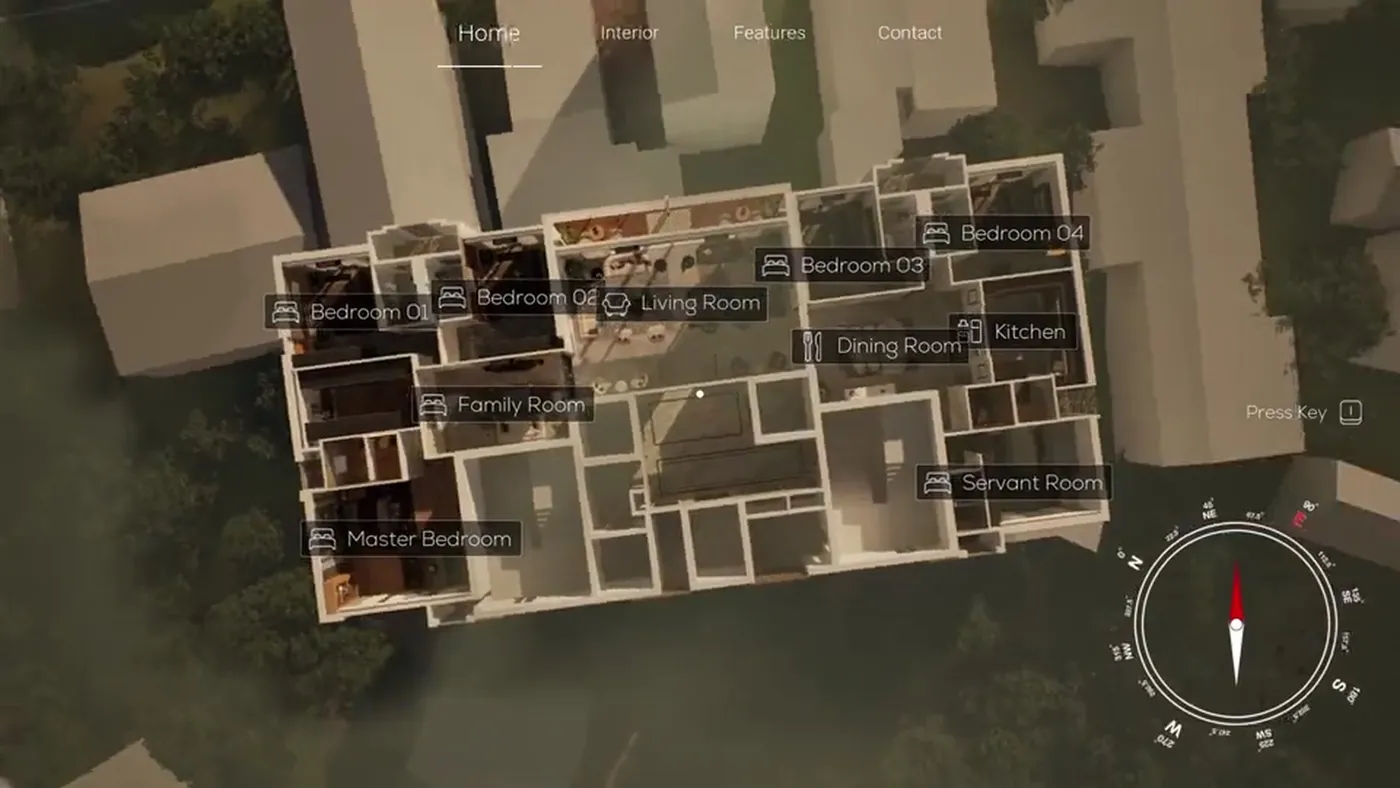
An interactive 3D walkthrough is a 3D model of your project that a visitor moves through freely. They decide where to go. They can change furniture, finishes and lighting, and pull back to a dollhouse view of the whole floor plan.

Developers put it in the sales gallery or the experience centre, on a touchscreen or in a VR headset, so that a buyer can stand in a flat that is not built. It is also called a real time walkthrough or a virtual 3D walkthrough, because the picture is drawn as the visitor moves. Buyers who ask for VR, virtual reality, a virtual sample flat or a configurator are usually asking for this. We build it in Unreal Engine, at our studio in Mumbai.

What you get

  • 01

    Free movement

    The visitor walks from room to room in any order, looks in any direction and stays as long as they like.

  • 02

    Furniture, finishes and lighting

    The options you approve are built in. The visitor swaps the sofa, the flooring or the wall finish and sees the room change at once.

  • 03

    Day and evening

    The lighting can be switched between times of day, so the buyer sees the flat in the morning and in the evening.

  • 04

    Dollhouse view

    The visitor pulls back to see the whole floor plan in 3D from above, then enters any room from there.

  • 05

    Screen, headset or browser

    It runs on a PC or a touchscreen, in a VR headset, or is streamed to a web browser.

Work like this

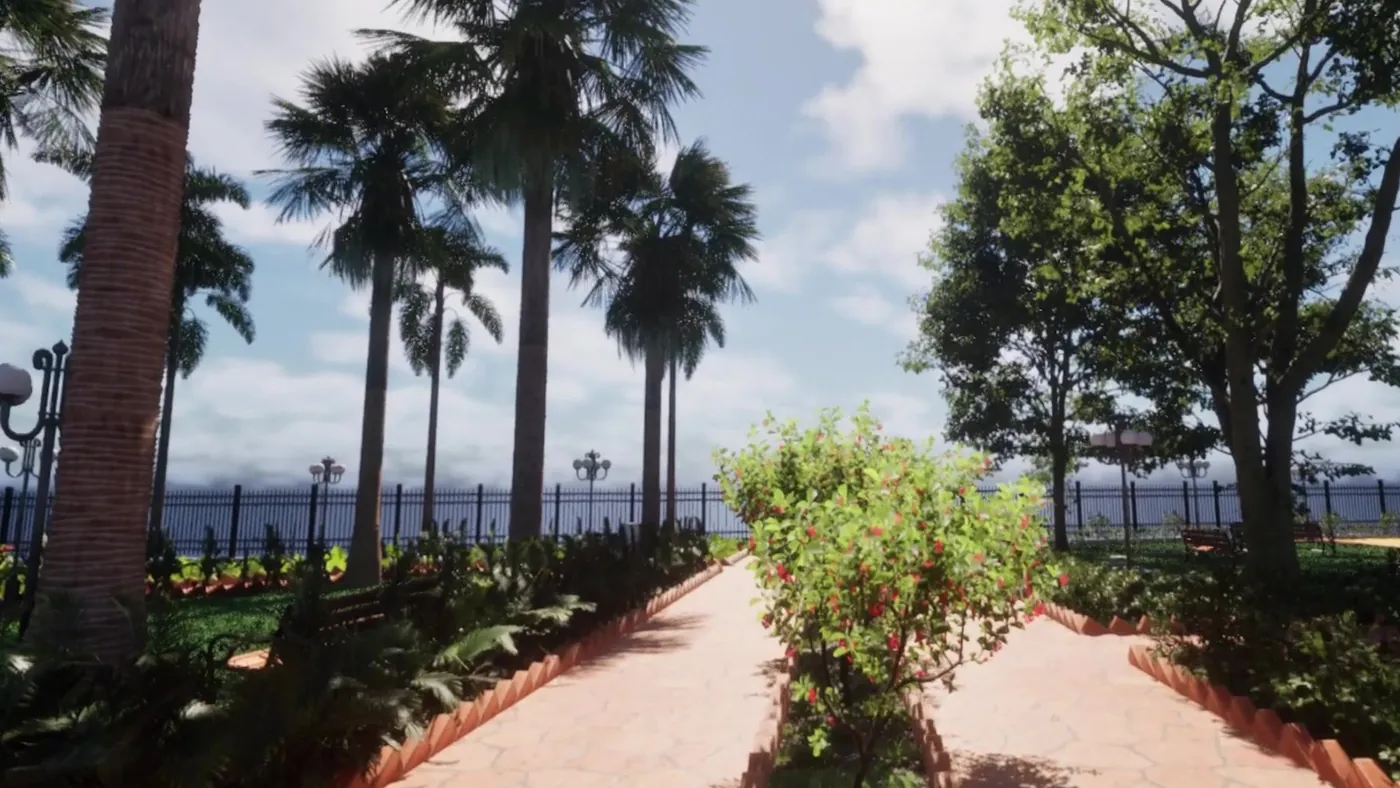
A configurable walkthrough of a residence, and a VR walkthrough of a seaside garden.

Dollhouse overview from the interactive real-time walkthrough Interactive WalkthroughReal-time configurable architectural walkthrough
Garden entry from the outdoor VR walkthrough Garden WalkthroughOutdoor architectural vr & seaside landscape

What the visitor can do

In our interactive walkthrough of a residence, the visitor moves room by room and swaps furniture, finishes and lighting in each one. To understand the layout, they pull back to the floor plan and see every room at once.

A salesperson can lead the visit or hand over the controls. On a touchscreen, the buyer moves and picks options by touch. In a VR headset, they turn their head to look around and the rooms appear at real size. The options on offer are the ones you sell, so the buyer is choosing between real specifications.

Where it runs

It runs in three places, set out in the table. The same walkthrough can be delivered to more than one of them. Decide early, because each one affects how the project is built and tested. Our Unreal Engine walkthrough page has the technical detail, including how streaming to a browser works.

WhereWhat the visitor needsSuits
PC with a large screen or a touchscreenNothing. The computer is in your sales galleryExperience centres, site offices and exhibitions
VR headsetA headset, set up by your sales teamA buyer who wants to stand inside the flat at real size
Web browser, by streamingA link and a steady internet connectionBuyers in another city or another country

Film, 360° tour or interactive

A walkthrough film shows every viewer the same route. A 360° tour lets the viewer look around from fixed points and click to the next one. An interactive walkthrough has no fixed route and no fixed points, and it is the only one of the three in which the buyer can change the room.

It also takes the most work to build. It suits a project where buyers spend time in a sales gallery, or where the flats are sold with a choice of finishes. For a quick message on a phone, a film is the better tool. Our guide to walkthrough, interactive, VR or 360° compares all four.

What we need from you

If we have already made your still renders or your film, the same 3D model is the starting point. Otherwise we start from the drawings.

  • Floor plans, elevations and sections, in CAD or PDF
  • Interior layouts with the furniture plan
  • The finishes and furniture options buyers will choose between
  • Any existing 3D model: SketchUp, Revit or 3ds Max
  • Where it will run: touchscreen, VR headset, browser, or all three
  • The view from the windows, if it matters to the sale

What decides the price

An interactive walkthrough is quoted per project. The price depends on the area and the number of rooms built, the number of options for furniture and finishes, and where it has to run. Each option is extra work, because every sofa, floor and wall finish has to be modelled and tested in every light.

VR and browser streaming each add their own setup and testing. Streaming also has a running cost for the remote computers, which depends on how many people use it at the same time. The quote separates the build from any running cost. Our interactive walkthrough cost guide explains what to ask.

How it runs

  1. 01

    Brief

    You send the drawings, the list of options and where the walkthrough will run.

  2. 02

    Model

    We build the rooms, the furniture and the finishes, including every option.

  3. 03

    First playable version

    You walk through a plain version to check the layout, the scale and the movement.

  4. 04

    Materials, light and options

    Finishes, lighting and the switching of options are completed, and you review.

  5. 05

    Setup and handover

    The final version is delivered for your PC, touchscreen or headset, or set up for streaming.

Questions

How much does an interactive walkthrough cost in India?

It is quoted per project. The charge depends on the size of the home, the number of furniture and finish options, and whether it runs on a touchscreen, in VR, in a browser or on all three.

What is an interactive 3D walkthrough?

It is a real-time 3D model of a building that a visitor moves through freely. They choose where to go, and they can change things such as furniture, finishes and lighting.

Does the visitor need a VR headset or a gaming computer?

No. In a sales gallery it runs on your computer and screen. A headset is optional. A streamed version runs on a remote computer, so the visitor only needs a browser and a steady connection.

Can an online 3D walkthrough run on our website without a download?

Yes, by streaming. The walkthrough runs on a remote computer and appears in the visitor's browser as live video that they control. This has a running cost, which the quote shows separately.

Can the buyer change flooring, furniture and lighting themselves?

Yes. The options you approve are built in, and the buyer switches between them. A walkthrough built mainly around these choices is an apartment configurator.

Can the same 3D model also give us stills, a film and a 360° tour?

Yes. The model is built once. Still renders, a walkthrough film and a 360° rendered tour can all be made from it, and they will match each other.

How long does an interactive walkthrough take to build?

It depends on the area, the number of options and the devices it must run on. The schedule is given with the quote, after we have seen the drawings.

Keep going

Get in touch

Send the floor plans, the options you offer and where the walkthrough will run. We send back a quote and a schedule.